

TLDR
- WordPress to Webflow migration costs range from $2,500 for a small business site to $50,000+ for enterprise websites, depending on page count, CMS complexity, custom features, and integrations.
- The timeline runs 2 to 3 weeks for a 10 to 20 page site, 4 to 6 weeks for 30 to 60 pages, and 2 to 4 months for enterprise sites with 200+ pages and complex requirements.
- Webflow is a strong fit for SaaS companies, B2B businesses, agencies, and startups that prioritize marketing speed and low maintenance. It is not the right move for large WooCommerce stores, plugin-heavy membership sites, or organizations that require full platform portability.
- SEO risk during migration comes from missed 301 redirects, lost metadata, broken internal links, and dropped schema markup. A clean migration typically sees 2 to 4 weeks of ranking fluctuation before recovery.
- Ongoing Webflow costs (site plan + workspace seats) run roughly $1,200 to $1,800 per year for a typical B2B marketing site, compared to $300 to $1,500+ for WordPress hosting and plugins, plus less predictable maintenance hours.
WordPress still leads the CMS market, powering 41.2% of all websites and 59.1% of sites running a known CMS, according to TechTide Solutions’ July 2026 report. That share peaked at 43.6% in early 2025 and has eased since, as SaaS platforms like Webflow, Wix, and Shopify take a larger slice of new builds. While WordPress offers unmatched flexibility, maintaining plugins and managing regular updates can become time-consuming. That's why many businesses are beginning to wonder whether it remains the best choice for today’s marketing-focused websites. According to HubSpot’s 2026 State of Marketing Report, 60% of marketers listed growing website traffic as a priority, while 91% believed their websites were vital to achieving their marketing objectives. Such changes have contributed to the growing popularity of visual development platforms like Webflow.
However, migrating from WordPress to Webflow often requires restructuring the website architecture, reorganizing CMS collections, migrating content, transferring SEO data, setting up 301 redirects, integrating third-party tools, and thoroughly testing the site before launch. Even minor mistakes during migration can lead to broken functionality, ranking losses, and traffic declines. Furthermore, before migrating, businesses typically evaluate three key questions: How much will the migration cost? How long will the migration process take? And what impact will it have on SEO?
This guide explores each of these factors to help you determine whether migrating from WordPress to Webflow is the right decision for your business.
Why Are Businesses Migrating From WordPress to Webflow?
As websites become increasingly important for lead generation, branding, and customer engagement, businesses are looking for faster and more efficient ways to manage them. Although WordPress remains one of the most widely used CMS platforms, many companies are migrating to Webflow to streamline website management and reduce maintenance time and cost.
1.Plugin Fatigue
A standard WordPress site needs separate plugins for SEO, security, backups, forms, caching, image optimisation, and analytics before it does anything unique to your business. Webflow covers most of that natively, which cuts the number of moving parts, though complex functionality may still need third-party tools like Memberstack or Jetboost.
2.Less Maintenance, Fewer Security Surfaces
WordPress sites need regular updates to core, themes, and plugins, and every one of those is a potential break point or vulnerability. Most reported WordPress vulnerabilities originate in plugins rather than core. Webflow is fully managed: hosting, SSL, and platform updates are handled automatically, with no plugin stack to patch. For teams without in-house technical support, this alone is often the deciding factor.
3.No Server or Hosting Management
WordPress website creation and administration typically involve selecting a web host, setting up servers, managing backup options, monitoring uptime, and ensuring the website's performance. Businesses might have to pay more to purchase caching and CDN solutions to make their websites faster. Webflow provides customers with a fully managed hosting solution as an inherent part of its platform. Customers will not need to think about server administration or performance options.
4.Better Performance of Websites
A website's loading speed is an important factor that affects user experience, SEO rankings, and conversion rates. Normally, the loading speed of WordPress websites is determined by the hosting provider, theme performance, and the number of plugins. Website optimization becomes more challenging over time. Webflow outputs clean semantic HTML with no plugin bloat, serves through a global CDN, and handles minification and responsive image generation automatically.
Is Webflow Right for Every Website?

While Webflow is useful to many, it may not be the best option for everyone. The appropriate system will depend on your website's function and future development plans. If your main focus is on marketing and design, Webflow can be a great choice.
Websites That Are Good Candidates for Webflow
- SaaS Companies: These companies tend to change their landing pages, pricing, and other content regularly. Therefore, the visual editor from Webflow enables marketing specialists to accomplish that quickly without relying on developers.
- Digital Agencies: They often require unique designs for their websites and those of their customers, and Webflow gives designers the freedom they need while making it easier to manage sites.
- B2B Businesses: B2B sites usually emphasize lead generation, case studies, and educational content. In this regard, Webflow is the solution to the high-quality performance, scalability, and SEO needs of these companies.
- Startups: Startups can appreciate the fast deployment and quick customization that come with Webflow, as it is simple to update content and create new pages through its visual approach.
Our guide on "Webflow Development In 2026: The Complete Guide For B2B And SaaS Founders" explains why these site types fit the platform.
Websites That May Be Better Suited to WordPress
- Large WooCommerce Stores: These companies have large product catalogs and more sophisticated e-commerce needs and may therefore opt for WooCommerce. The well-established ecosystem enables them to implement a range of custom shopping and inventory capabilities.
- Membership Websites: Membership, community, and educational websites typically rely on various WordPress plugins. Moving these complicated websites to Webflow may take additional effort.
- Websites That Utilize a Large Number of WordPress Plugins: If you have a website that relies on numerous plugins to conduct business, you may choose to stay with WordPress. It is more costly and time-consuming to replace these functions in Webflow.
- Teams That Need Full Portability: WordPress is open source, so you can move your database and files to any host at any time. Webflow is a closed platform. You can export static HTML and CSS, and you can pull CMS content out via CSV or the API, but there is no one-click path to a self-hosted equivalent, and interactions, CMS logic, and hosting configuration do not come with you. If platform independence is a board-level or procurement requirement, factor that in before you commit.
We build on both platforms. That is deliberate: the right answer depends on what your site has to do, not on what is easiest for us to deliver. Our Webflow vs WordPress vs Framer comparison goes through these cases one by one.
Discover the "10 best B2B Webflow agencies in India for 2026". Compare expertise, tech stacks, portfolios, and services to choose the right development partner.
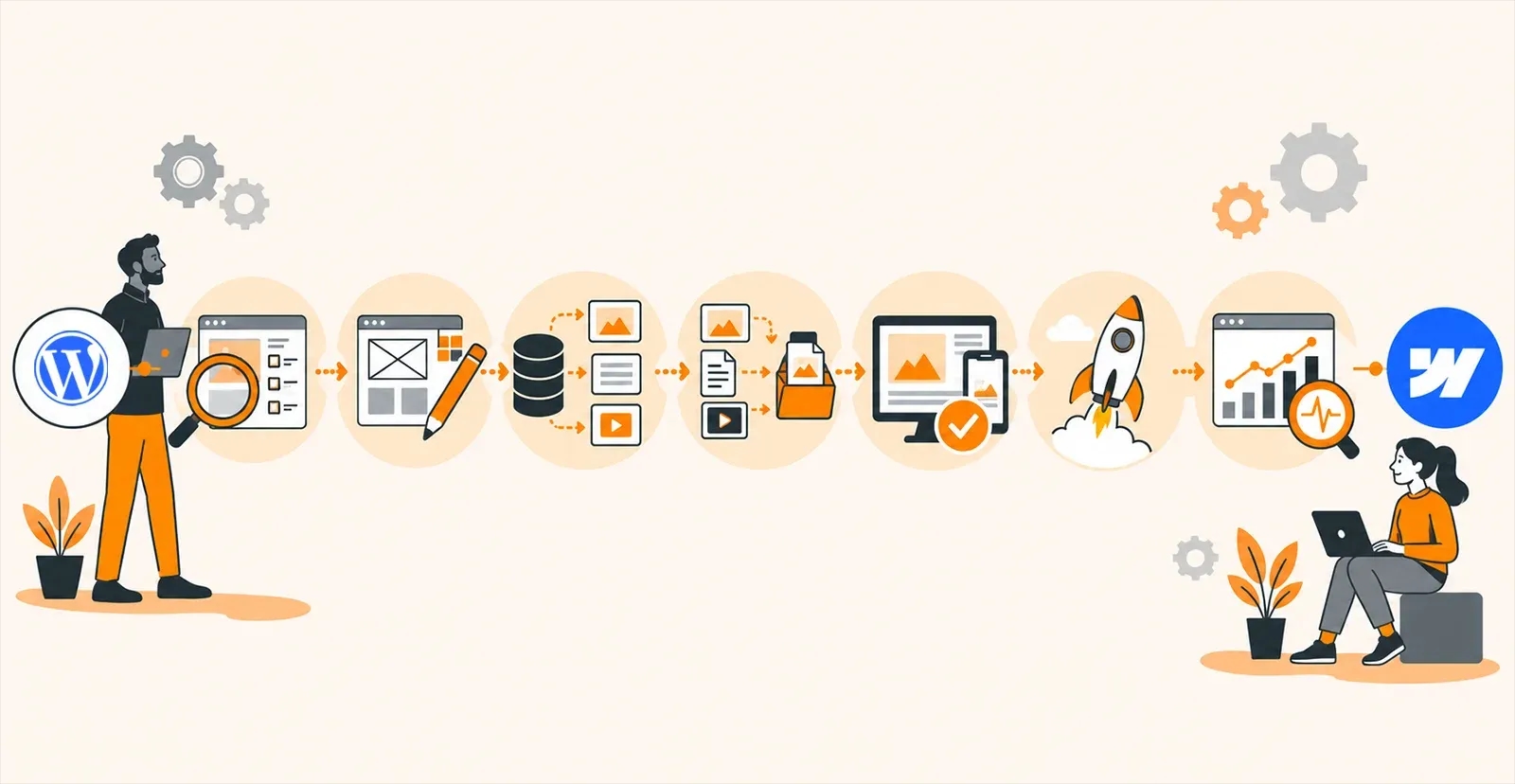
What Actually Happens During a WordPress to Webflow Migration?

Migrating from WordPress to Webflow involves more than simply moving content from one platform to another. In fact, the entire plan should be designed so that no element of your website, especially its functionality and SEO, is affected during the migration process.
1.Audit Existing Website
This process entails auditing all content on the existing website, including pages, blog entries, images, downloadable content, forms, SEO, metadata, links, and broken links or outdated content. It is also through this process that you determine what needs to be carried forward, updated, combined, or deleted before recreating your website.
2.Design Recreate/Redesign
Once auditing is complete, the website design is either recreated or redesigned in Webflow. This process entails building responsive designs and creating reusable design components for your website to ensure a consistent experience across all devices. If you are redesigning during the move, borrow design patterns from top SaaS companies with stunning Webflow websites instead of copying the old layout.
3.CMS Migration
If your WordPress website contains dynamic content such as blog posts, case studies, team bios, or portfolios, it will be migrated to Webflow CMS collections. Proper CMS structuring ensures content remains organized, easy to manage, and scalable for future updates. Map WordPress post types to Webflow fields only after you know how Webflow CMS collections work.
4.Content Migration
Once the CMS structure is in place, the rest of the content moves across: page copy, images, video embeds, PDFs, and other downloads. Each page is checked for formatting, heading structure, image alt text, and internal links so nothing breaks in transit.
5.Testing
Every aspect of the website must be tested before the live version goes live. Page layouts, navigation, forms, CMS features, responsive design, cross-browser compatibility, loading speed, internal linking, analytics, and SEO elements have to be tested here.
6.Launch
Once testing signs off, the site is connected to the live domain and published. Redirects, indexing, analytics, and Core Web Vitals are checked in the first hours after launch so anything broken gets caught the same day, not the following week.
7.Post-Launch Monitoring
Migration doesn't end after launch. In the next few days or weeks, search rankings, crawl errors, page performance, form submissions, and other behaviors will need to be monitored using Google Search Console and Google Analytics.
How Much Does It Cost To Migrate From WordPress to Webflow
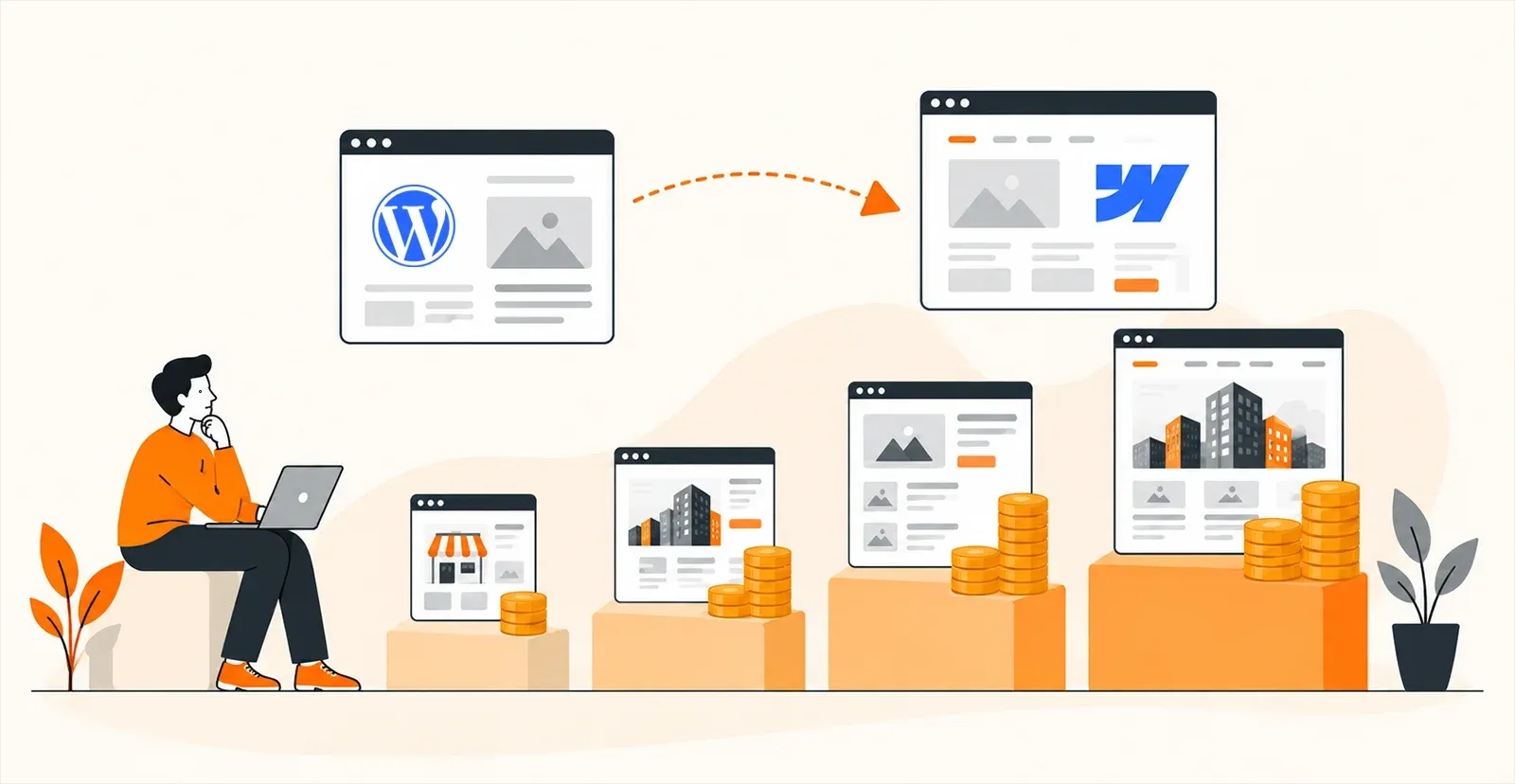
There is no set fee for all website migrations from WordPress to Webflow. The final price tag will be determined by the nature of the website being migrated, including its design, size, functionality, and level of customization. From duration of development to complexities, many factors decide the cost of website development.
The ranges below reflect published rates from Webflow Partner agencies and our own migration projects across 480+ builds.
Website Type | Typical Complexity | Estimated Cost Range (USD) |
Small business website | Low | $2,500-$8,000 |
Corporate website | Medium | $8,000-$20,000 |
CMS-heavy website | High | $20,000-$50,000 |
Enterprise website | Very High | $50,000+ |
What Affects the Price?
The following list of elements is responsible for the final price of the WordPress to Webflow transfer:
- Number of Pages: Websites that have more pages need more work in terms of design, transferring of data, QA, and testing
- Collections of the Content Management System: Transfer of dynamic data, like blogs, case studies, portfolios, or even a directory of employees, involves the creation of Webflow CMS collections
- Transfer of a Blog: Migration of a large blog that contains several hundred articles and tags needs more time
- Animations and Interactions: They add to the design and development process.
- Custom Development: There are features like calculators, a customer portal, a dashboard, and other functionalities that need API integrations; hence, custom development is needed
- Third Party Integrations: Features like CRMs, marketing automation, booking system, payment gateway, analytics tools, etc., involve more effort at the time of implementation and testing
- SEO Retention: To retain SEO, you need migration of metadata, 301 redirections, internal link retention, structuring data, and its index
- Forms: This involves contact forms, lead generation forms, newsletter subscription forms, or other multiple-page forms that need to be migrated and tested
- Membership Websites: These are the websites that have some kind of gated content or a member’s section on their website
Ongoing Platform Costs: Webflow vs WordPress
Migration is a one-time cost. The running cost is what changes your budget permanently.
Webflow restructured its Site plans in May 2026. The former CMS and Business plans were merged into a single Premium plan at $25/month billed yearly ($39/month billed monthly), which includes 300 static pages, 20,000 CMS items, 40 CMS Collections, and 50 GB bandwidth. The Basic plan is $15/month but includes no CMS, so it only suits static sites. Note that Premium's included bandwidth is lower than the old Business plan's 100 GB, so media-heavy sites should check current usage before assuming costs will drop.
On top of the Site plan, teams pay for Workspace seats: $39/month for a Full seat, $15/month for a Limited seat, and $0 for reviewer access. Add-ons like Localize (multilingual) and Optimize (A/B testing) are billed separately. A typical B2B marketing site with two editors lands around $1,200 to $1,800 per year all in.
A comparable WordPress setup runs roughly $300 to $1,500 per year on quality managed hosting, plus premium plugin licences (SEO, forms, backups, security), plus developer time for updates and the occasional plugin conflict. The platform bill is often lower; the maintenance bill is usually higher and less predictable.
The honest comparison is not hosting fee against hosting fee. It is total cost including the hours your team currently spends on updates, plugin conflicts, and asking a developer to change a landing page.
One limit worth checking before you commit: Webflow's 20,000 CMS item ceiling and 40-collection limit are generous for most marketing sites, but a large blog archive, a product directory, or a multi-market content library can hit them. Count your posts, categories, tags, authors, and custom post types before scoping the project, because every one of those becomes a CMS item or collection.
Although DIY migration is suitable for small websites, businesses with large CMS databases and advanced features often find it more beneficial to collaborate with Webflow experts. Migration done correctly ensures that there is no downtime and SEO effectiveness is maintained.
How Long Does a WordPress to Webflow Migration Take?
The time required for the transition from WordPress to Webflow will vary based on several factors, including the site's size, the CMS content, the required functionalities, and the design requirements. Small websites can take a few weeks, while large or enterprise websites will take longer.
Website Size | Estimated Timeline |
10-20 pages | 2-3 weeks |
30-60 pages | 4-6 weeks |
100+ pages | 6-10 weeks |
Enterprise Website (200+ pages) | 2-4 months |
The duration for migrating from WordPress to Webflow depends on several factors. The migration process can take longer if the project involves a website redesign or custom integrations, including CRM systems, booking tools, payment gateways, or APIs. SEO-related tasks, such as setting up 301 redirects and transferring metadata, further add to the timeline. Lastly, comprehensive testing is essential to ensure that all pages, features, and integrations function correctly before the website goes live.
What Is The SEO Impact of Moving From WordPress to Webflow
A platform change does not hurt your SEO by itself. Poor execution does. Many sites see faster load times and a better user experience after moving, which can support search visibility over time. A poorly executed migration, on the other hand, will cost you rankings. The outcome depends almost entirely on how carefully the SEO side is planned.
Key SEO things to think about when moving from WordPress to Webflow include:
- URL structure and 301 redirects. Map every old URL to its new destination before launch. WordPress and Webflow handle slugs and trailing slashes differently, so even a like-for-like rebuild usually changes some URLs. Skip this and users hit 404s, and rankings drop within days.
- SEO metadata
Move page titles, meta descriptions, Open Graph tags, and image alt text across. Webflow lets you set these per page and template them dynamically for CMS collections, which is faster than editing them one at a time. - Canonical tags
Canonicals tell search engines which version of a page is authoritative. Missing or incorrect canonicals create duplicate content problems and unpredictable indexing. - Internal linking
Preserve your internal link structure. It is how crawlers discover pages and how link equity flows through the site, and it is the thing most often broken by a copy-paste content migration. - Schema markup
If your WordPress site uses Article, FAQ, Product, or LocalBusiness schema, that markup came from a plugin and will not carry over. It has to be rebuilt as custom code in Webflow. Losing it means losing rich results in search.
What to expect after launch: Even a clean migration usually produces two to four weeks of ranking fluctuation while Google recrawls and reprocesses the new URLs. Watch Search Console for crawl errors, coverage drops, and redirect chains daily for the first fortnight. Traffic that has not recovered after six to eight weeks points to a technical problem, not normal volatility, and should be investigated rather than waited out. In the SAA Interiors + Architecture migration, organic clicks reached 2,574 within 5 months of launch.
Learn more about the SEO impact of migrating from WordPress to Webflow from our blog on "Is Webflow Good For SEO? An Honest Perspective".
Common Migration Mistakes
Most migration damage comes from a short list of avoidable mistakes. These are the ones that cost rankings and traffic most often.
- Failure to redirect URLs: The result is broken links, errors, and poor SEO ranking.
- Copying content across without checking it: Pasting text into Webflow can strip heading tags, break internal links, and drop metadata. Every migrated page needs its H1, heading hierarchy, alt text, and internal links verified after the move.
- Dropping blog categories and tags: Category and tag archives are indexed URLs that carry internal link equity. Rebuild them as Webflow collections and redirect the old archive URLs, or you lose both the pages and the site structure they created.
- Ignoring Image Optimization: Uploading large, unoptimized images for the web will slow your website's loading times.
- Not Testing Forms: Contact forms, lead capture forms, and newsletters should always be tested both before and after the migration process.
- Going Live Without Testing: Your users may have a poor experience if the design, responsiveness, link building, and functionality of your website are not tested
- Removing Important Pages: You will experience traffic loss and broken links if you remove important pages without conducting an SEO assessment
- Not Setting Up Analytics Tools Again: Not connecting your analytics tools (Google Analytics and Google Search Console) will cause you to miss out on vital information about your website
- Forgetting the XML sitemap and robots.txt: Submit the new sitemap in Google Search Console at launch and confirm robots.txt is not blocking the live site. Staging-site robots rules carried into production is one of the most common and most damaging launch errors.
- Losing image URLs: Webflow rehosts your media on its own CDN, so every image URL changes. Sites that rank in Google Images should expect a temporary dip and should ensure alt text and filenames carry over.
- Not exporting WordPress comments: Webflow has no native commenting. If your blog has years of comments, decide before launch whether to move them to a third-party system like Disqus or accept losing them.
WordPress vs Webflow After Migration
After the migration, it becomes apparent that there are noticeable disparities in how websites are managed. Although WordPress is highly flexible and diverse thanks to its numerous plugins, it requires constant management and oversight by a technician. Conversely, Webflow presents itself as a complete package, combining hosting, editing, and all other aspects of website management.
Feature | WordPress | Webflow |
Security | Plugin-dependent security measures | Fully managed security with SSL included |
Hosting | Requires a separate hosting provider | Built-in, fully managed hosting |
Maintenance | Regular updates for core, themes, and plugins | Minimal maintenance with automatic platform updates |
Visual Editing | Limited without page builders | Intuitive visual editor with real-time editing |
Performance | Depends on hosting, theme, and plugins | Optimized hosting with built-in CDN |
CMS | Flexible but plugin-dependent | Visual CMS that's easy to manage |
Portability | Open source; database and files move to any host | Static export and CMS data export; no direct self-hosted equivalent |
SEO Tools | Often relies on SEO plugins | Built-in meta, sitemap, and redirect controls; schema and bulk editing need custom code. |
Ongoing cost | Hosting plus plugin licences plus maintenance hours | Site plan plus per-seat Workspace fees plus add-ons |
Ecommerce | WooCommerce handles large, complex catalogues | Suited to small and mid-size catalogues |
Multilingual | Mature plugin options (WPML, Polylang) | Webflow Localize, billed as a paid add-on |
Update | Frequent manual updates | Automatic platform updates |
Conclusion
Migrating from WordPress to Webflow is more than merely moving the content. This is an opportunity to build a faster, safer, and more managed website. With its visual design capabilities, hosting, and reduced maintenance, organizations can create a faster website. Nevertheless, there are several things to keep in mind to ensure the move is successful. For one, SEO should be handled through 301 redirects, metadata migration, and so forth. Finally, testing the website before launch ensures it works across all platforms and browsers.
By understanding the costs, timeframe, and process of moving to Webflow, firms will be able to make well-informed decisions. In the right hands, with proper planning, moving to Webflow will definitely result in a website that is built for the future.
Planning a WordPress to Webflow Migration? Let Us Scope It Properly.
Quixta builds on both WordPress and Webflow and has delivered 480+ projects across 27+ countries. We handle the full migration process, from CMS restructuring and content migration to 301 redirect mapping, SEO retention, and post-launch monitoring. Every project starts with a site audit, and roughly a third of the migration enquiries we receive end with us recommending the client stay on WordPress and fix their existing setup instead. If you are evaluating a platform move, we will give you an honest assessment of whether Webflow is the right fit for your website, what the migration will cost, and what the timeline looks like.
Frequently Asked Questions
The answer depends on the feasibility of transferring your website to another platform. Businesses seeking modern design, performance, and easy content management will find Webflow a preferable alternative. When comparing with WordPress, it should be noted that Webflow provides hosting, a CMS, and visual coding on a single platform, eliminating the need for additional plug-ins and system maintenance. Also, marketing professionals will have the opportunity to control content without developers' participation. However, if you have complex features like WooCommerce or other custom plugins on your website, it is better to choose WordPress.
Migration alone won’t affect your SEO, but an improper migration can negatively impact it. That’s why you need to migrate your metadata, use 301 redirections, retain internal links, and copy your structured data. In addition, your new XML sitemap must be submitted, and the robots.txt file should be checked before your website launches. After migration, you need to monitor your performance in Google Search Console.
While a simple site can be moved individually without help, hiring experts is the smarter way for those companies that depend on their website to bring in business. A professional Webflow firm or developer undertakes the entire web migration process, from recreating the design and setting up the CMS to preserving SEO and testing the site after the move. Thus, there is little chance of problems such as broken pages or downtime.
Many businesses use a migration as an opportunity to refresh their website's design and improve the user experience. Rather than recreating an outdated design, they update branding, simplify navigation, optimize page layouts, and improve mobile responsiveness. However, a redesign increases both the project timeline and overall cost. If your current design is performing well, recreating it in Webflow may be a more practical approach.
Plugins that come with the WordPress platform do not port seamlessly over to Webflow since the two platforms differ in architecture. The functions performed by the plugins are either taken over by Webflow's native functionality or replicated through custom coding and third-party integrations. Webflow offers built-in hosting, form creation, CMS, and SEO, thus minimizing the number of plugins required. It is advisable to audit the plugins before migration.
The exact timeline will vary based on the complexity of the project. It may take about 2–3 weeks for websites with 10-20 pages; websites with extensive CMS or custom functionality may take months. Other considerations that may add to this timeline include design, any third-party applications to be integrated into the new site, SEO migration, and testing. Effective planning and testing are needed to launch successfully. Not doing enough may cause technical or SEO issues post-launch.
The cost depends on the scale and the intricacy of your web design. Small business websites are typically less expensive than large corporate websites with hundreds of pages, a CMS-based content library, and other customization features. Such aspects as animations, migrating from a blog, using third-party applications, preserving SEO efforts, and development costs all contribute to the final price tag. Even a relatively simple website can cost only a couple of thousand dollars, but corporate migrations usually require custom quotes.
Yes definitely. The domain name is yours, no matter which website creation tool you choose. Once your Website created on Webflow is completed and tested, all that is left to do is update your domain name's DNS settings to point to the new website. People will keep visiting your website via the same domain name.
In most situations, website downtime will be minimal if it is planned well. In this case, the new Webflow website is built and tested on the staging domain while the old WordPress website remains online. After all preparations are complete, the domain name will be redirected to the new website, ensuring users experience minimal to no downtime.
A successful migration starts with auditing the current website and having a proper migration plan. Before creating the new website on Webflow, one should review their content, SEO resources, integrations, and functionality. After that, you need to implement 301 redirects, migrate all metadata, test everything on the website from pages to forms and integrations, and analyze website performance post-launch through Google Analytics and Google Search Console.
